

An Updated Digital Banking Experience is Coming Soon
On February 10, we’re refreshing parts of our digital banking experience to make it easier and more intuitive, while keeping everything you depend on right where you expect it. These updates are simple, helpful, and designed to fit the way you already browse online.
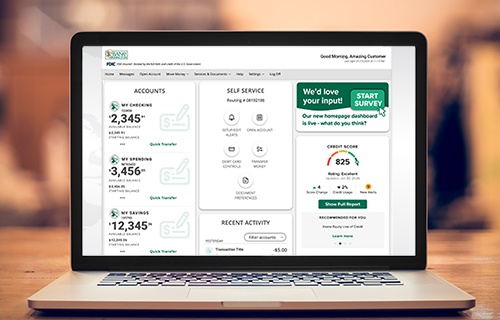
What’s Changing for Personal Digital Banking
- Navigation Moves to the Top (Desktop Only)
- When you log in from a desktop computer, your menu will move from the left side of the screen to a clean, top navigation bar.
- This layout is familiar across most modern websites, making it easier to find what you need.
- Your mobile app navigation bar will stay in the same place it is right now.
- A Refreshed Homepage
- You’ll also notice a modern, widget‑based homepage with a cleaner look and improved organization.
- Your accounts and key digital banking features will be easier to view at a glance, with no changes to how your accounts work.
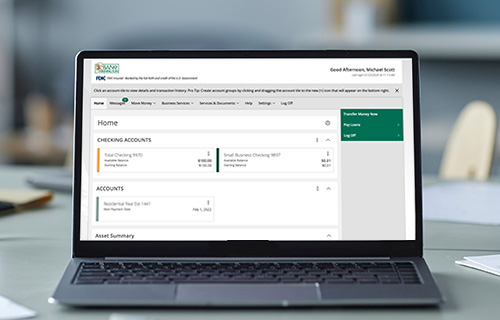
What’s Changing for Business Digital Banking
- Navigation Moves to the Top (Desktop Only)
- Business users will see one update: the navigation bar will move from the left to the top when logging in on a desktop computer.
- Your account tools, features, and dashboard remain the same.
- Your mobile experience does not change.
The Benefits of These Updates
We’re making these enhancements to provide a more natural, user‑friendly experience, similar to the websites you use every day. Nothing about your accounts or digital banking features is changing; this is simply a visual update to help make navigating even easier.